Upcoming Maintenance - October 21st at 8PM: Please note that our service will be temporarily interrupted for some maintenance for about 3 hours on October 21st starting at 8PM EDT. During this period, the application will be inaccessible and some statistics may not be compiled. Also, some functionalities may be interrupted and any scheduled emails will be sent once the service is restored.
Close
Security Notice - PHP Vulnerabilities: We are aware of the recently announced PHP security vulnerabilities and are closely monitoring the situation.
Our technical team was ready to act as soon as the security update was released to apply the necessary fixes to our infrastructure. Protecting your data remains our priority. We will keep you informed of any developments that require further communication.
Close

Correct with Antidote

Did you know that an email with multiple typos or errors in its text tends to be perceived or automatically classified as spam? To avoid this kind of situation, check the spelling of your text and correct your grammar errors with the help of Antidote, directly in the email editor.

Before you start

How to correct your text


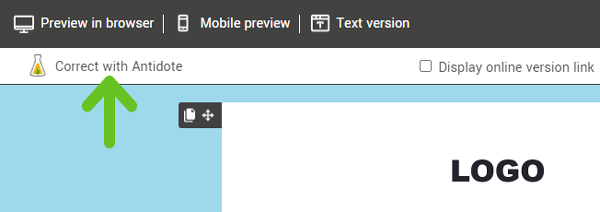
To launch the corrector, simply click the Correct with Antidote tool, which you'll find at the top left of the editor.

This tool will only be visible if you have an Antidote license and have downloaded its extension in your browser.

The corrector will then start verifying the content of all your text blocks.

Once the scan is complete, an Antidote window will open. You will be able to view the errors found and make the necessary corrections. They will be applied directly to your template or draft. It is also possible to access various dictionaries from the Antidote window.

Don't forget to check the text version of your template or generate a new one, as the corrections will only be applied to the text blocks visible in your template preview.


Top