Use the "Archive" function to permanently end a scenario.
When a scenario is archived every task that is associated with that scenario will stop. However, it is still possible to see the statistics for that scenario. If you wish to re-activate the scenario,you will need to duplicate it and then activate the copy. Click here to learn how to re-use an archived scenario.
To archive a scenario:
- Go to Marketing automation.
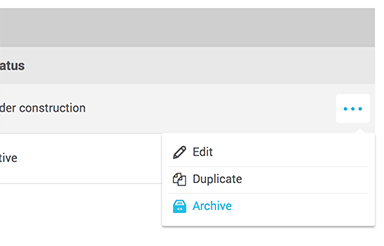
- Click on the 3 dots on the right-hand side of the scenario and select "Archive".
- Click "Yes" to confirm.